TeamConnect provides users with the option to reassign requests without approving or rejecting them.

1. Click the Reassign Approval button to begin the process.
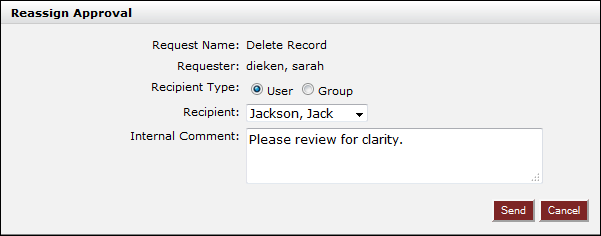
2. The Reassign Approval box will then load on your screen. Select the recipient and add an internal comment if necessary.
Note: Users may select another user or an entire group for the reassignment.
3. Click Send to complete the reassignment.